






@ChildeHarold
It might work for you, but it doesn't work for me. I click on that icon and then on the increase board icon, and nothing happens.
My board is very small. Yet I'm told by the administration that it is larger than the old setup. It isn't, no matter what the administration says. I can't play on this board because of its small size, so once I finish my 2 remaining games, that's the end of RHP for me after 18 years of enjoying it.



Is this the 'Analyze' function we're talking about here (not sure if this is a UK or US site, but without starting a world war and assuming it's UK, can we please see 'Analyse'?) everything works fine for me on a laptop. Would be a great shame to lose these players given their tenure on here too.
The only query I would have is what do the boxed/larger pieces represent beneath the game board? I can see the smaller 'taken' pieces lower down, but what are the larger pieces above?
FW

@FlyingWolf saidThis is to drag the pieces back onto the board once removed.
The only query I would have is what do the boxed/larger pieces represent beneath the game board? I can see the smaller 'taken' pieces lower down, but what are the larger pieces above?
FW
On the 'analyze' function*, you can use option 3 shown below to remove what I call the piece bin, and expand the board further. (Depending on your max board size setting, if you are set small already, nothing will happen)
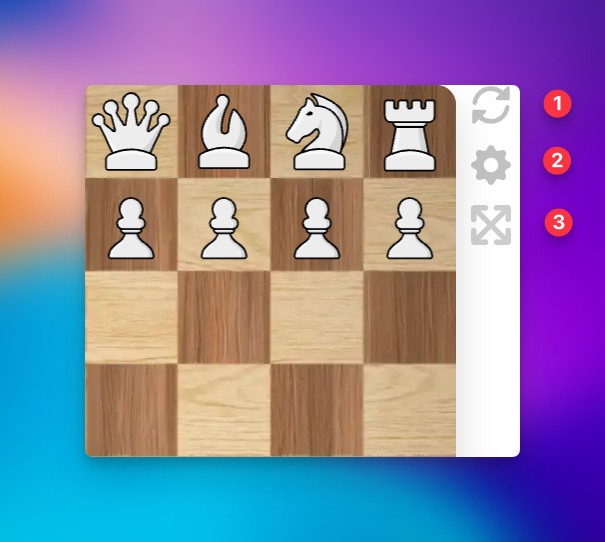
* RHP : UK developed, US Hosted, biggest player count is US. Therefore, I try to stick with US spelling, hence analyze.
UK player base is not that far behind though.